

One workbench for
every database.
Postgres, MySQL, SQL Server and Oracle in one native app — with guardrails that won't let you drop a table in production.
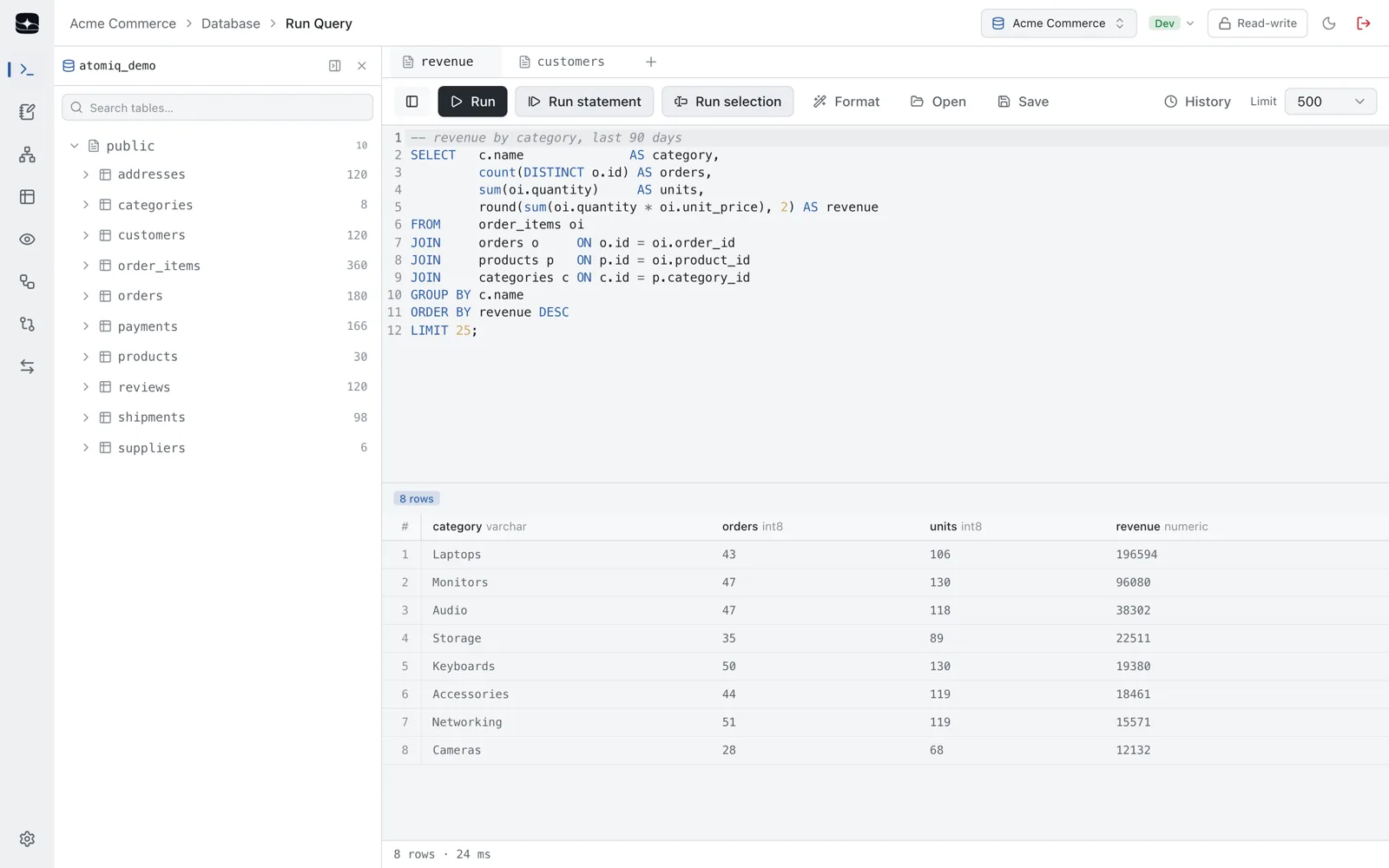
Keep the whole investigation, not the last query.
Most clients give you one editor and one result pane, so the six queries it took to find the answer are gone by the time you find it. A notebook keeps every step — runnable, in order, with its own output.
Every cell keeps its own result
Run one, run them all. Nothing overwrites the output of the step before it.
It's still a .sql file
Cells are separated by a -- %% comment. Commit it, diff it, open it in vim — no proprietary format to be locked into.
Run-all stops at the first error
A failed migration step never silently runs the ones that depended on it.
Your Postgres box and your legacy Oracle box, side by side.
Every connection is a saved profile tagged with its environment. The engine is a detail of the profile — the workbench above it doesn't change.
 PostgreSQL
 MySQL
MySQL SQL Server
 Oracle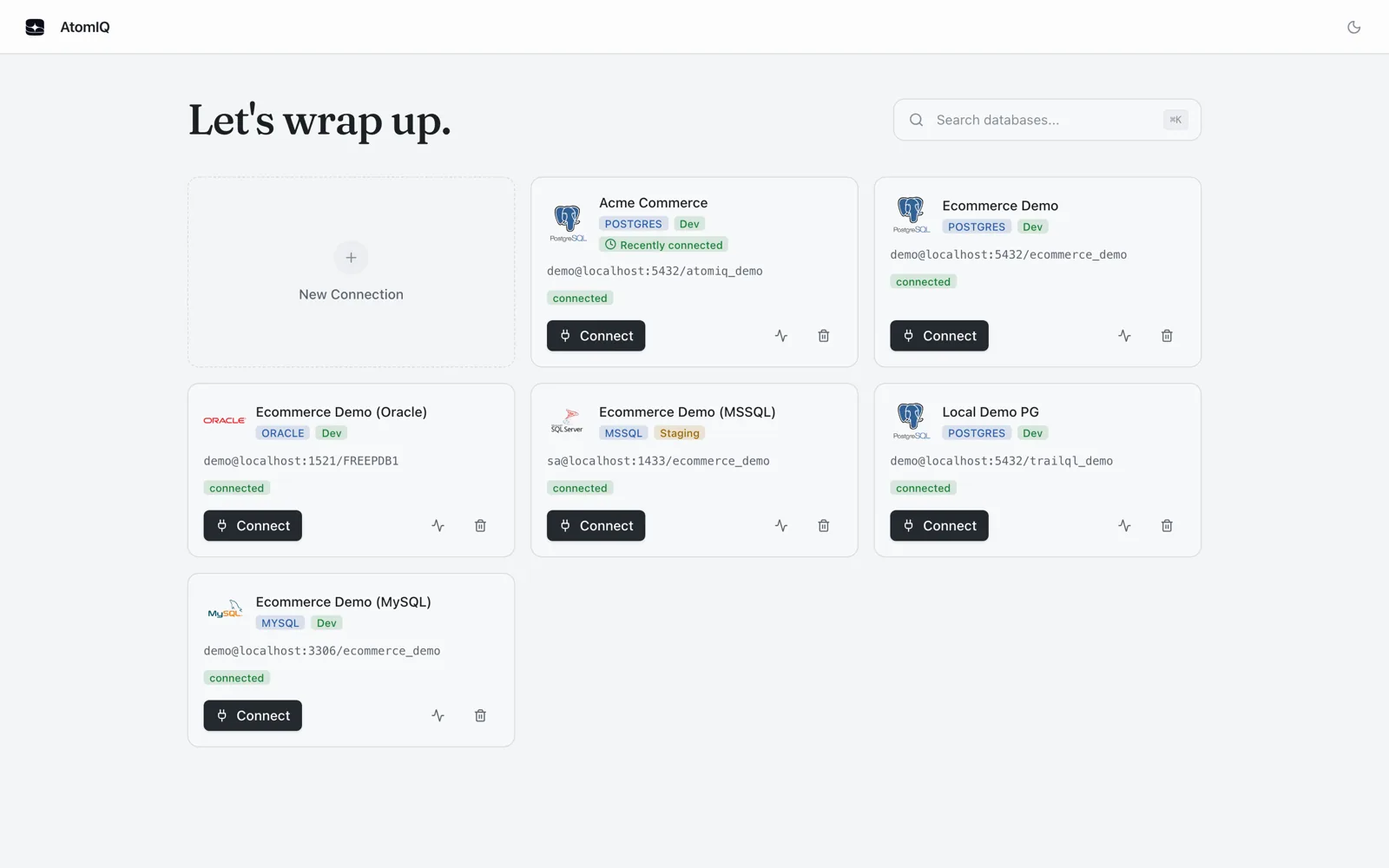
Built around what you actually do all day.
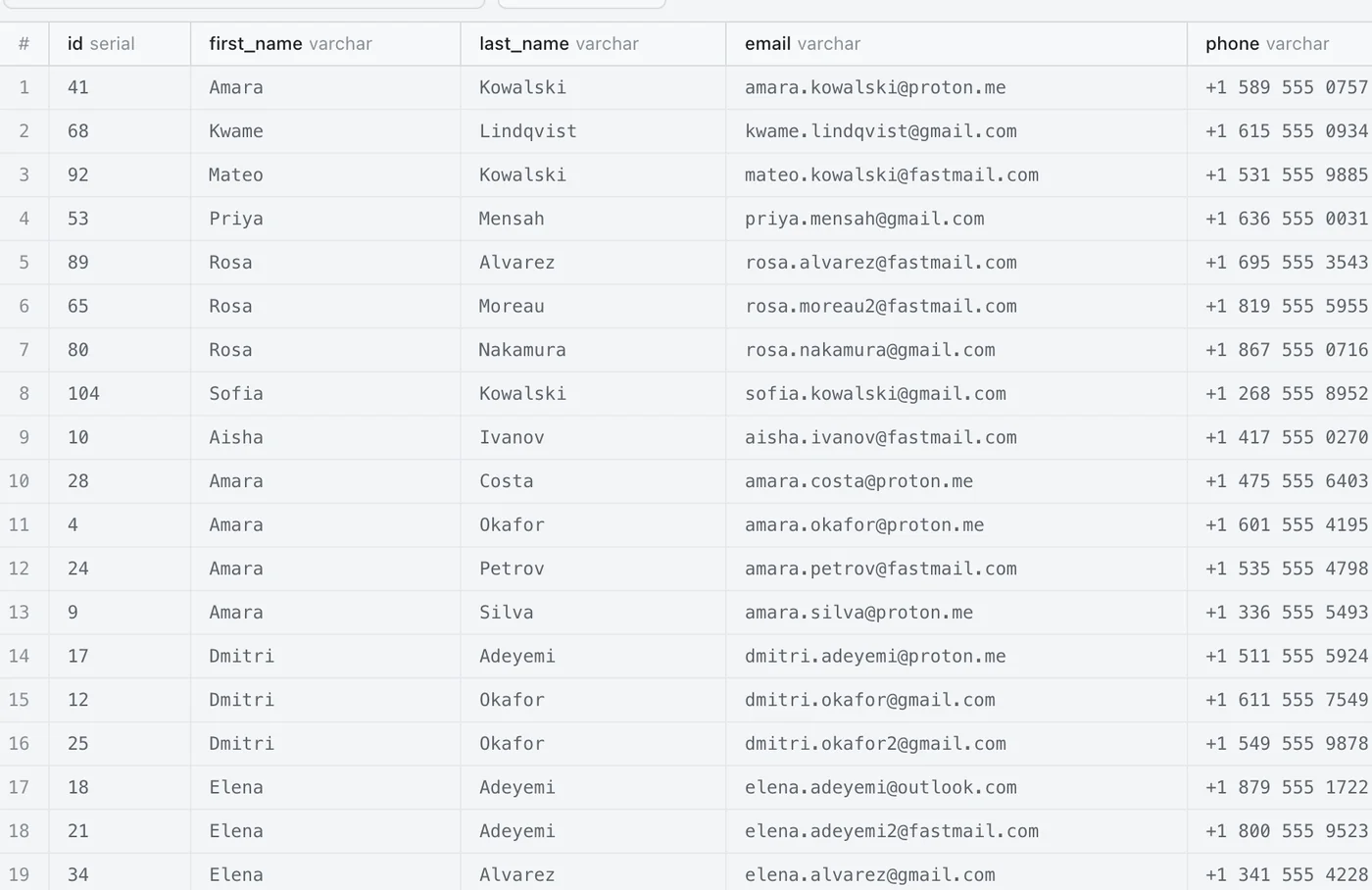
Filters that become a WHERE clause.
Search and per-column filters are compiled into a parameterised query and run on the server. You're filtering the table, not the hundred rows that happened to load.
- Column names are checked against the real schema; values are bound, never concatenated
- Pagination skips the
COUNTonce the total is known, so page 2 doesn't rescan the table - Columns named like
passwordortokenarrive masked
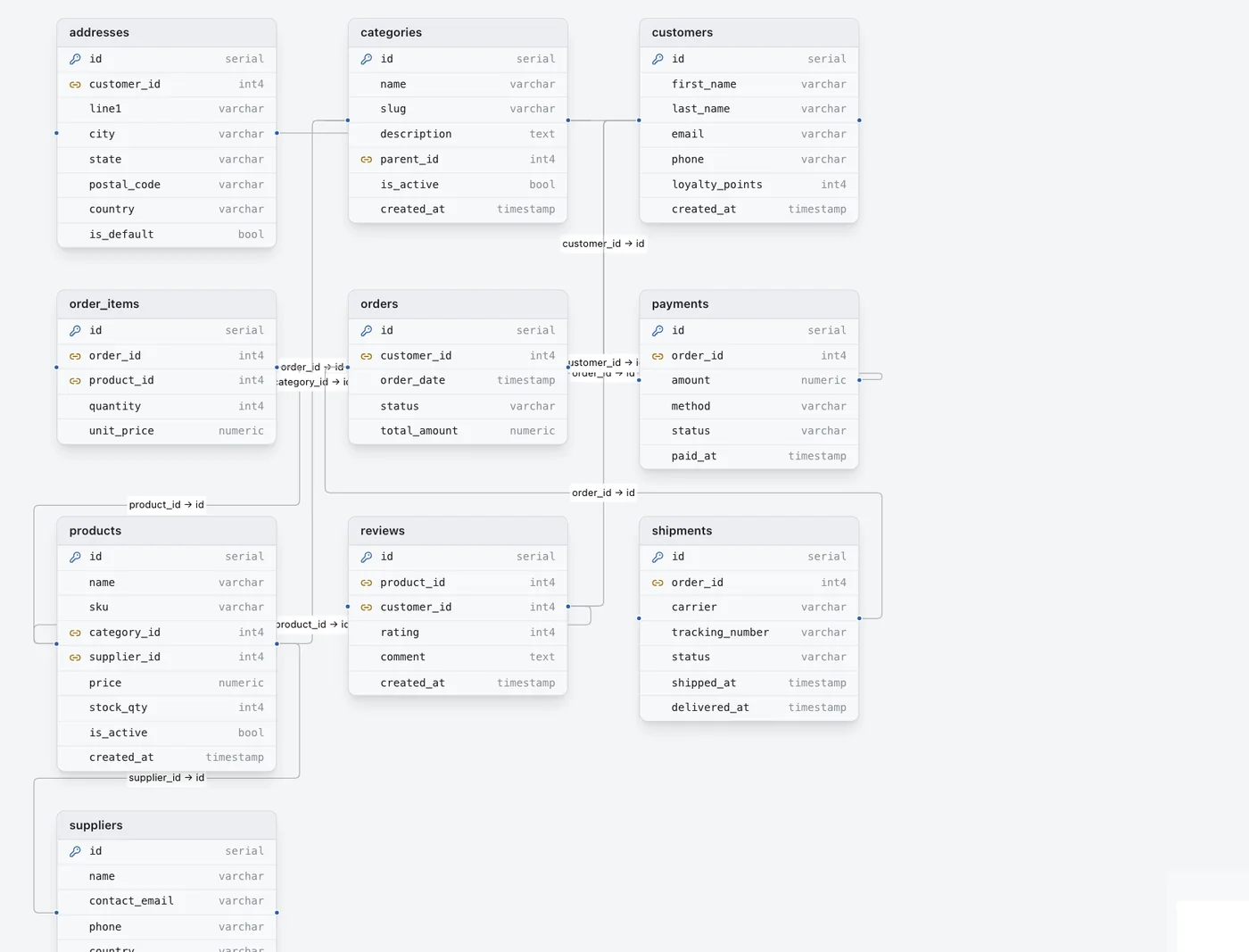
Read from your foreign keys, not a config file.
The diagram is built from the live connection's key metadata, so there's nothing to define and nothing to keep in sync. It's right by construction, or your constraints are missing.
- Click a table to isolate its relationships and fade the rest
- Scope it to the whole database or one table's neighbourhood
- Right-click any table for a dialect-correct SELECT, INSERT, UPDATE, DELETE or JOIN
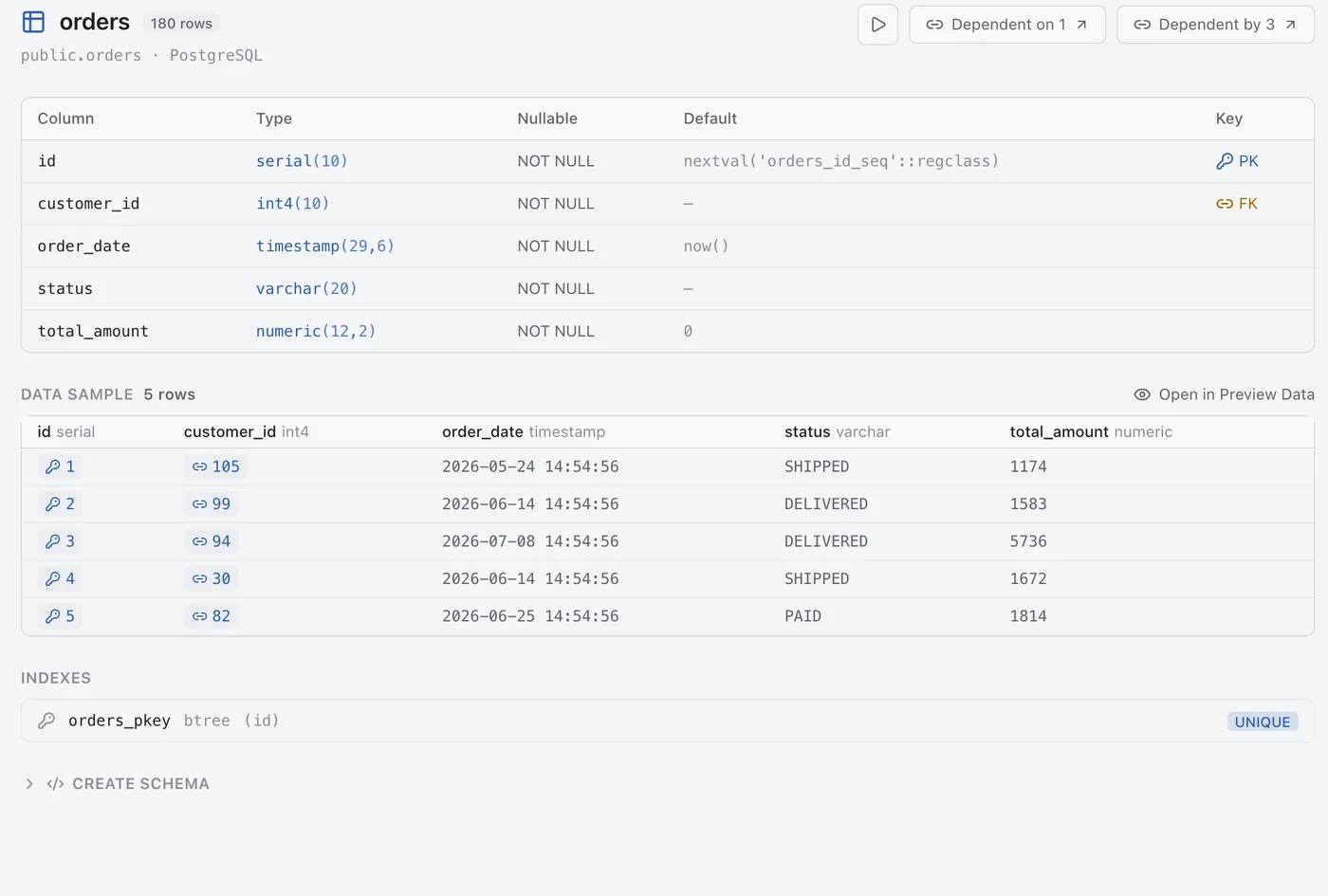
Everything about a table on one screen.
Columns, keys, indexes, the generated CREATE TABLE, and the first rows — so you stop alt-tabbing between a schema browser and a query tab to answer one question.
- Dependency counts double as links into the relationship view
- DDL is generated from JDBC metadata, so it reads the same on all four engines
- Jump straight from here into Run Query or the data browser
Run Query
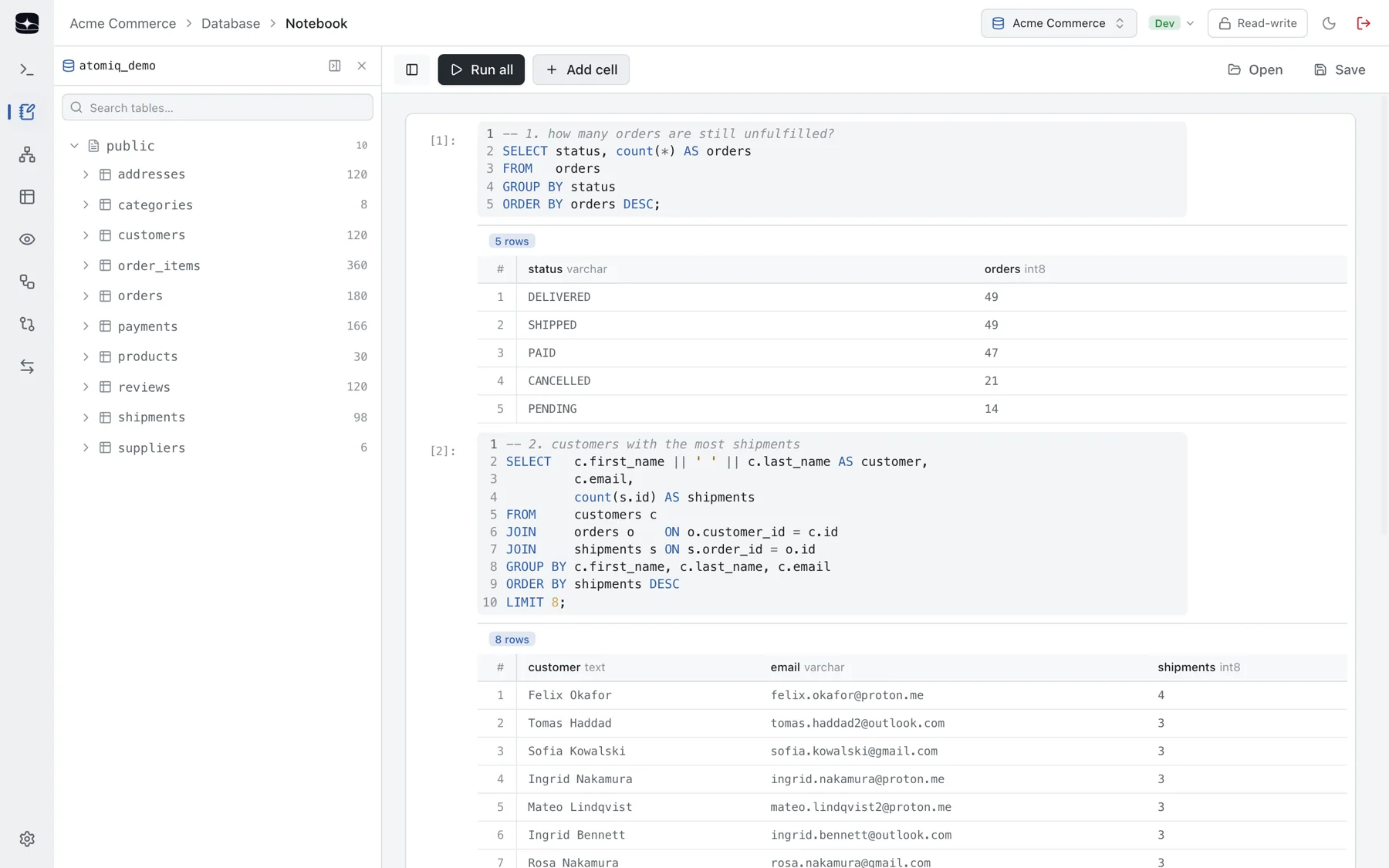
Run the statement at your cursor. Not the file, not a selection — the one statement your caret sits in, found by scanning past semicolons inside strings and comments.
Schema Compare
Diff two tables to the line. Columns, indexes and an LCS diff of the real DDL. A key that now points somewhere else reads as modified, not identical.
Import / Export
Per-statement import results. A dump you can read, and an import that tells you which statement failed and why — with stop-on-first-error when you want it.
History
Every run is recorded. Rows, duration and errors, scoped per connection, re-openable in a new tab. Repeats of the same query collapse into one entry.
Explorer
Click an identifier, get it typed. The schema tree drops table, column and index names straight into the editor at your cursor.
Session
Reopens exactly as you left it. Tabs, notebook cells, selected table and panel widths — restored per connection, so profiles never bleed into each other.
Built by someone who has run the wrong query in prod.
Pick a statement and watch what a PROD-tagged connection does with it. Every guardrail below is on before you think to ask for it.
> DELETE FROM orders;
Blocked — connection is tagged PROD
No "just this once"
Destructive statements are blocked outright, with no per-query override — because that's the one you'd click at 2am.
A real desktop app, not a web page in a wrapper.
Tauri, not Electron
Uses the OS webview instead of shipping its own Chromium.
No JVM to install
The Java backend is compiled ahead of time to a native binary and bundled inside the app.
Nothing phones home
The engine binds to loopback on a random port and is never reachable from the network.
Signed and atomic
Verified before install, and the interface and engine are replaced together under one version.
Light, dark, your accent
Follows the system theme, with an accent colour you pick.
Dense by choice
An IDE-style interface with no onboarding tour — it assumes you know what a foreign key is.
Being built next.
Listed separately because these aren't finished — that's the whole point of the section.
Everything above this line
Four engines in one workbench — notebook, ER diagram, structure view, schema compare, import and export, with the full guardrail set on by default.
AI data seeding
Realistic synthetic rows from a plain-English prompt, inserted in FK-safe order. The interface ships today; the generation backend isn't wired up yet.
SSL connection options
Certificate and TLS mode per profile, for managed databases that require it.
Cross-connection compare
Diff staging against production. Today's compare works within one connection.
Questions, answered honestly.
Which databases does AtomIQ support?
PostgreSQL, MySQL, SQL Server and Oracle — each with saved connection profiles, the schema explorer, SQL editor and safety features. One app instead of a different client per engine.
Is AtomIQ a web app or an Electron app?
Neither. It is a native desktop application built with Tauri 2 — a small, fast binary per OS, without a bundled Chromium runtime. It ships for Windows, macOS and Linux from one codebase.
How does AtomIQ stop me breaking production?
Connections can be marked read-only (write statements are blocked client-side). PROD-tagged connections get a non-overridable hard block on destructive statements, plus confirm-before-write prompts and typed confirmation for account-level actions like dropping a database.
Does the notebook lock me into a proprietary format?
No. Notebooks save and open as a plain .sql file using -- %% cell markers, so the document round-trips through any text editor.
Is AtomIQ ready for production use?
It is early-stage — currently version 1.0.0 and actively developed. It is best treated as new and emerging rather than a mature, long-track-record product. Session data persists locally; hardening credential storage via a secure store is on the roadmap.
Get AtomIQ, free.
One native app for Windows, macOS and Linux.